The real value of a WordPress website is simple management. Clients shouldn’t need a developer on hand to update content or make basic changes.
To make sites easy for non-technical users, I rely on a few practical tools and techniques:
- WP101 video tutorials to teach how WordPress works and to explain new features; these videos are kept current with WordPress releases.
- Detailed notes provided when the site is delivered, outlining how to manage every area of the site and any custom features that aren’t covered by the videos.
- Editor styles so the Visual Editor in the backend reflects the front-end presentation, making editing more WYSIWYG.
- Additional styles added to the visual editor when needed, so clients can select styled blocks (for example, different blockquote styles) without remembering class names.
- A Style Guide page that shows all styling options available in the visual editor, which helps clients choose consistent formatting.
- Custom metaboxes for managing elements outside the main content area, such as page-specific headers or testimonial content.
Why I Avoid Shortcodes When Possible
I generally avoid shortcodes unless necessary. Shortcodes are code-like snippets that don’t visually represent their front-end output inside the editor. Clients often find them confusing because they must preview the page to see the result. Shortcodes can also leave messy remnants in content if a theme or plugin that registered them is deactivated.
One mitigation is placing shortcodes in a Core Functionality plugin and instructing clients not to deactivate it, but that still isn’t as intuitive as a true visual editor experience.
Shortcode UI (Shortcake) Improves the Experience
The Shortcode UI (Shortcake) plugin adds a user interface for inserting and viewing shortcodes in the editor. It integrates into the media/insert workflow with an “Insert Post Element” option. Shortcodes that include Shortcode UI metadata appear in a visual builder where users can configure attributes and click “Insert” to add a properly formatted shortcode. In Visual mode, Shortcake can even render the shortcode inline so editors see a close representation of the final output while editing.
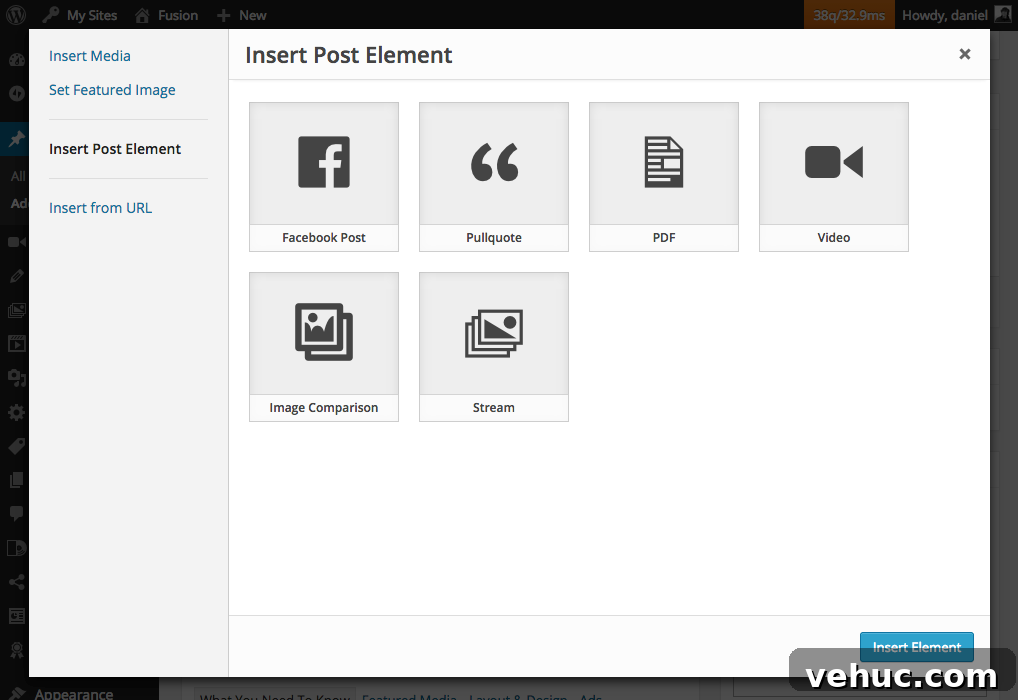
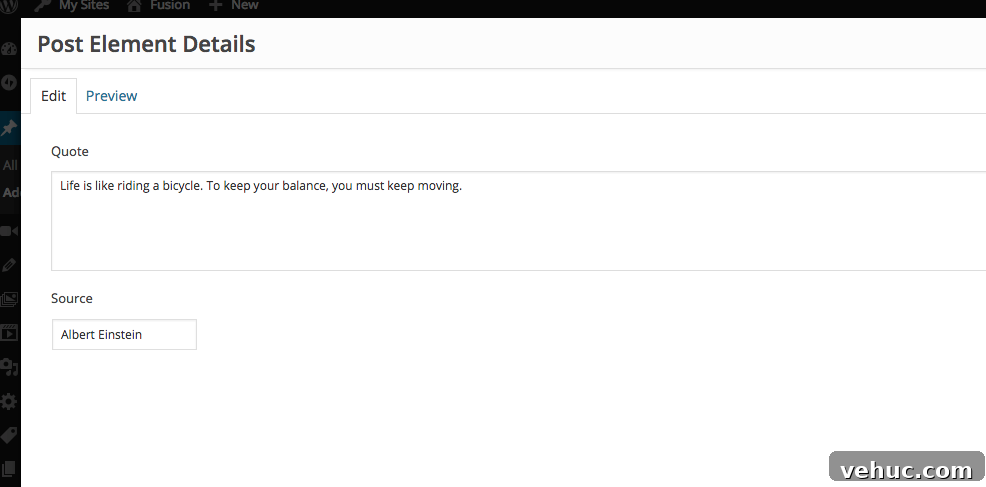
Shortcake is developed as a feature plugin with the goal of eventual inclusion in WordPress core, and it has active discussion and development notes on the Make WordPress Core channels.
Using a Custom Shortcode with Shortcake
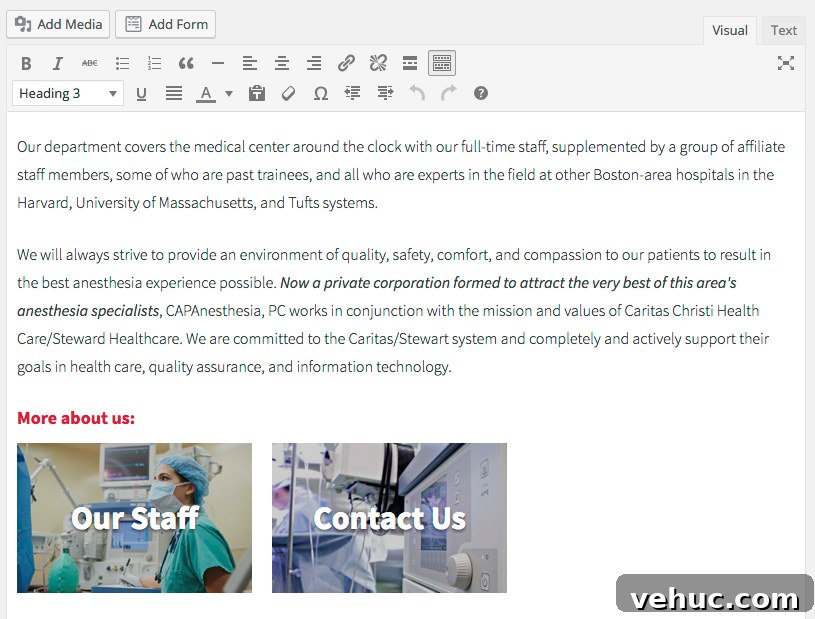
On a recent project the client needed visually styled page links placed inside content. Each link is a rectangle with the page’s featured image as a background and the page title overlaid. I created a simple shortcode that outputs these links, for example: [page-link ids=”12,34″]. Since clients don’t know post IDs and may forget syntax, I registered the shortcode with Shortcake so they can pick pages using a friendly selector instead of typing IDs.

In short, the implementation does the following:
- Defines a shortcode that accepts an ids attribute and sanitizes it so only integers are used.
- Builds output only when IDs are provided, looping over each ID to generate a linked block for that page.
- Checks whether the page has a featured image; if so it sets the background-image using a registered image size.
- Generates an anchor element for each page with the page title overlaid, and wraps these anchors in a container.
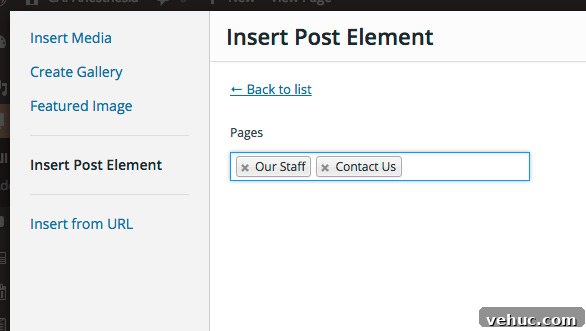
- Registers Shortcake UI metadata for the shortcode so editors see a labeled item in the Insert dialog. The UI uses a post select field filtered to pages and allows multiple selections, so clients can choose pages from a searchable list rather than entering IDs.
- Registers an appropriate image size used for the background of the page-link blocks.
After registering the shortcode and its Shortcake UI, I added matching CSS to the theme stylesheet and the editor-style.css so the editor preview closely matches front-end appearance. Now editors see visual page links in the editor while composing content, rather than cryptic shortcode text.
Summary
I remain cautious about adding shortcodes, using them only when they solve a real problem. When shortcodes are needed, Shortcake (Shortcode UI) dramatically improves the editing experience by exposing a visual, user-friendly interface for inserting and configuring shortcodes. This approach keeps content cleaner, reduces confusion for non-technical clients, and preserves the simplicity and manageability that make WordPress sites valuable.